
Change Someone's Role or Job Details
- Who can do this
- HR Managers, Company Admins
- Updated
Before You Start
- To change a role, check who may give it in Choose the Right Role for Someone.
Steps
- Step 1: Open Manage, choose People, and select the person.
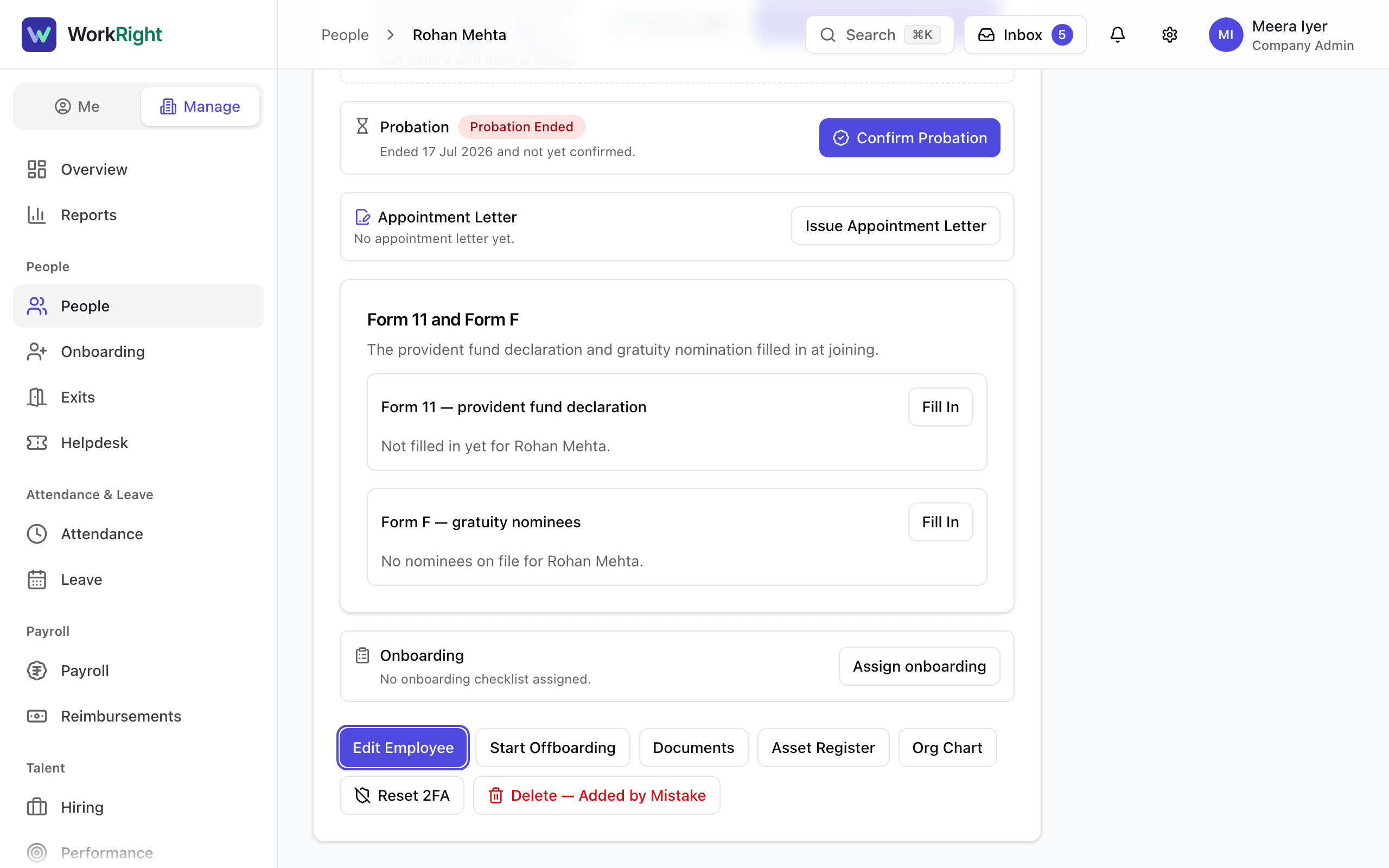
- Step 2: Select Edit Employee.
- Step 3: Change what you need: First Name, Last Name, Role, Reports to (Manager), Department, Designation, Employee ID, Phone, Hire Date, Employment Type, Location or Cost Center.
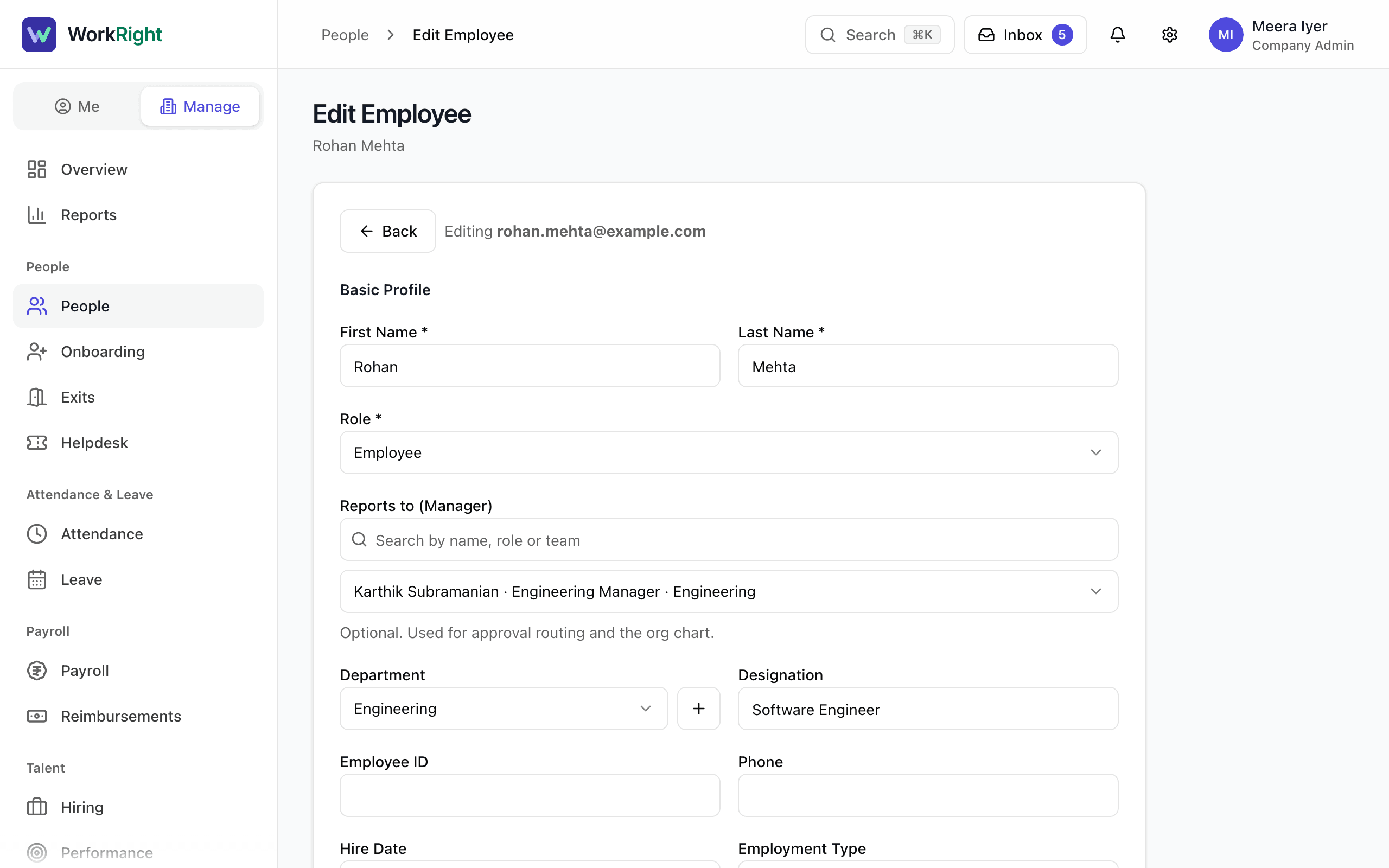
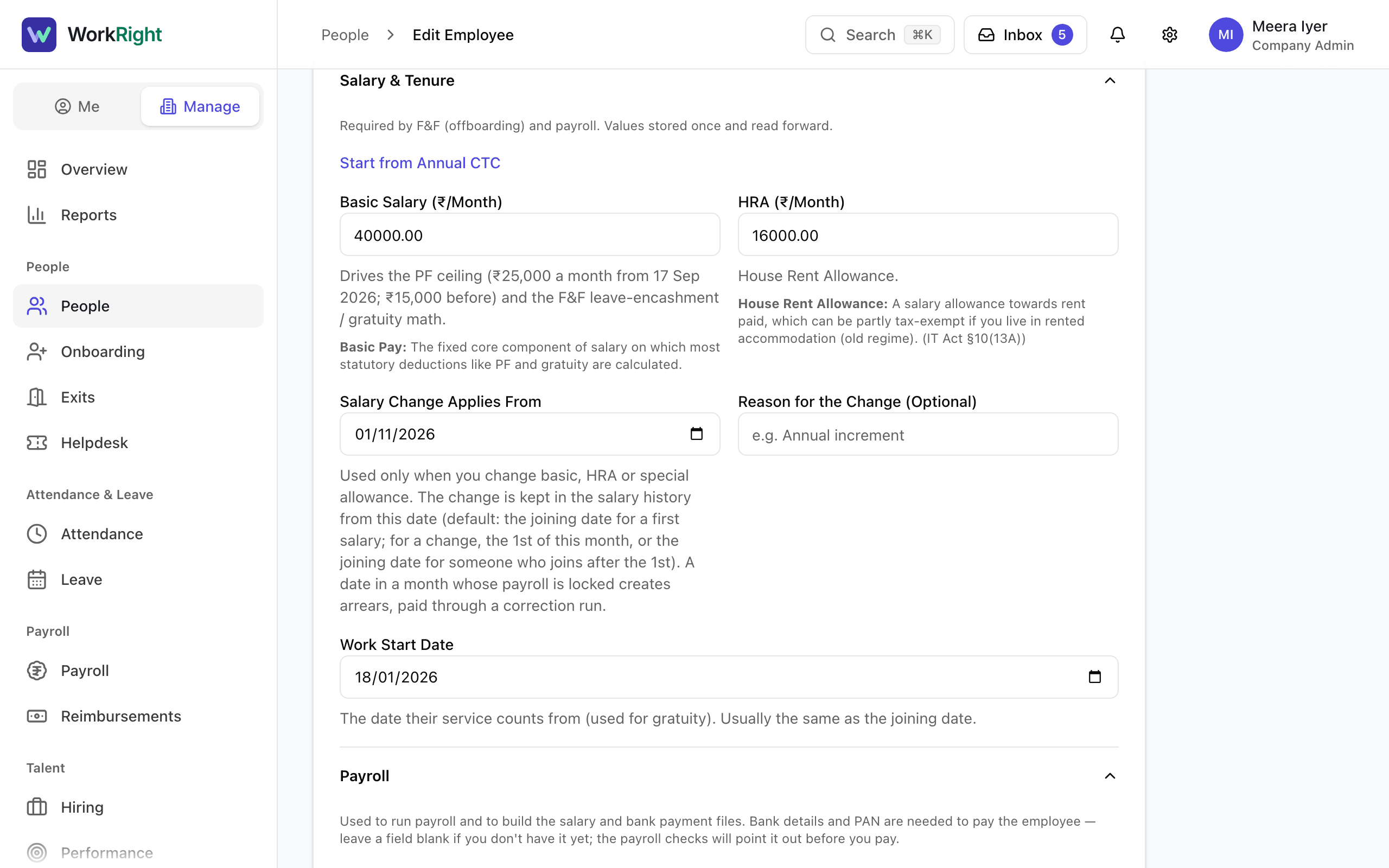
- Step 4: To change pay, fill in Basic Salary (₹/Month) and pick the date in Salary Change Applies From. The new amount starts on that date, and older months keep the old amount.
- Step 5: Select Save Changes.
- Step 6: To leave one person out of payroll, open the Pay tab on their profile and turn off Include in Payroll.
What Happens Next
- A message confirms that the person was updated.
- A new manager decides who approves the person's leave and other requests from now on, and changes the org chart.
- A pay change cannot start in a month whose payroll is already locked. Pick a date in an open month.
- A person's sign-in email is not part of this form. Fix a mistyped email with Fix an Invite That Did Not Arrive.
If the App Says No
The app says:
You can't change your own role — ask another admin.
What it means: Nobody can change their own role.
What to do: Ask another company admin or HR manager.
The app says:
Only a company admin can change a company admin's role.
What it means: The role box is locked because the person is a company admin and you are not.
What to do: Ask a company admin to make the change.
The app says:
The owner's role can't be changed. Transfer ownership first.
What it means: The company owner's role is locked.
What to do: The owner transfers ownership to another company admin first, from Settings, under Company Details.
Questions People Ask
Can I change my own role?
No. The role box is locked on your own profile. Ask another company admin or HR manager to change it.
Can I change someone's work email here?
No. The sign-in email is separate from this form. Before the person's first sign-in you can fix it from the Wrong email? button on their profile. After that, only they can change it.
When does a salary change take effect?
On the date you choose in Salary Change Applies From, and only for months whose payroll is still open. Earlier months and locked payroll are not touched.
Does Employment Type change what the person can do?
No. Today it is a label that appears on their profile and in reports. See Add Contract Staff, Interns and Consultants.
Can an HR manager edit a company admin?
An HR manager can edit a company admin's other HR details, but not their role or access. Only a company admin can change those.
Related
- Choose the Right Role for Someone — What each of the six roles can do, who is allowed to give which role, and how the company owner fits in.
- Add an Employee — Add one person to your company, send them an invite to sign in, and start their onboarding checklist.
- Add Contract Staff, Interns and Consultants — How to add someone who is not a regular full-time employee, and how to pay them through payroll or by invoice.
- Fix an Invite That Did Not Arrive — Resend an invite, correct a mistyped email, or give the person a new temporary password when the invite never reached them.
Plain-English summary of how the app works, not legal advice.