
Finish Your Details When HR Asks
- Who can do this
- Employees, Managers, HR Managers, Company Admins, Accountants, ICC Members
- Plan
- Needs the HR Core module to be on for your company.
- Updated
Before You Start
- A request from HR. You get a notice and an email when HR asks. A card on your Me home also tells you.
- Photos or files of any documents HR asked for.
Steps
- Step 1: Open the card HR Needs a Few Details on your Me home, or open Inbox and then Tasks. Select Finish Your Details.
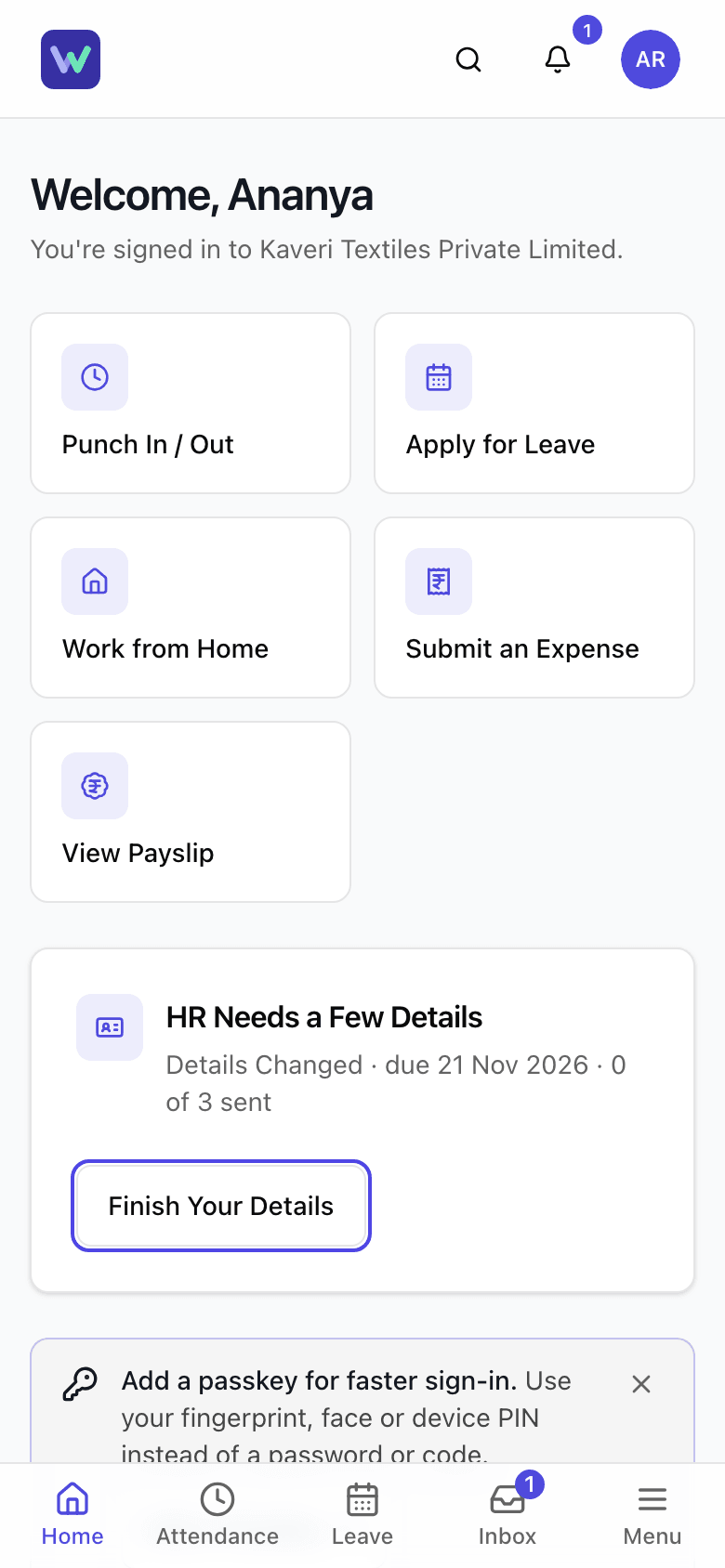
- Step 2: Read why HR is asking, the due date, and how many items you have sent so far.
- Step 3: Select Continue, or select an item from the list.
- Step 4: Fill in the form for the item. For a document, select Take Photo or Choose File.
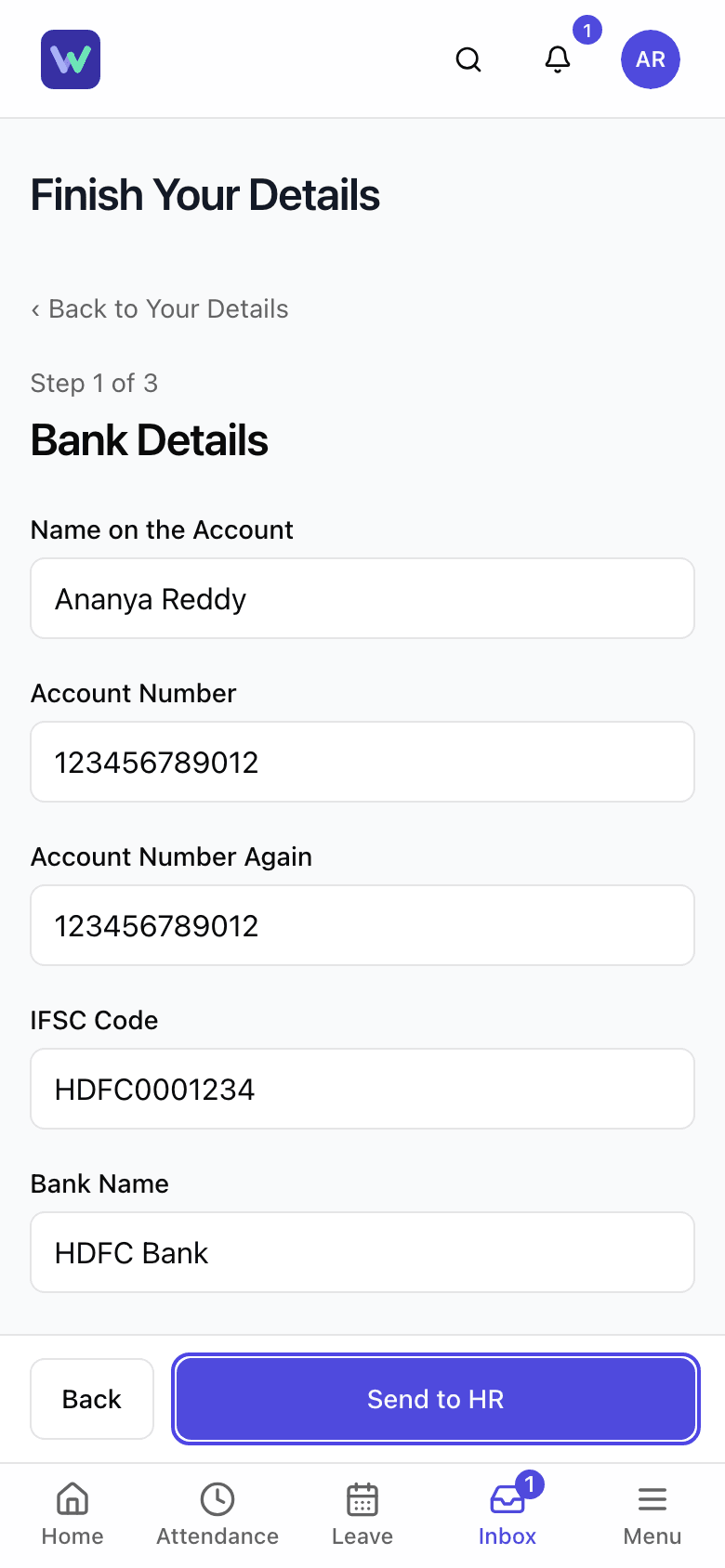
- Step 5: Select Send to HR.
- Step 6: Repeat for every item. Each one shows Waiting, Sent, Verified or Sent Back.
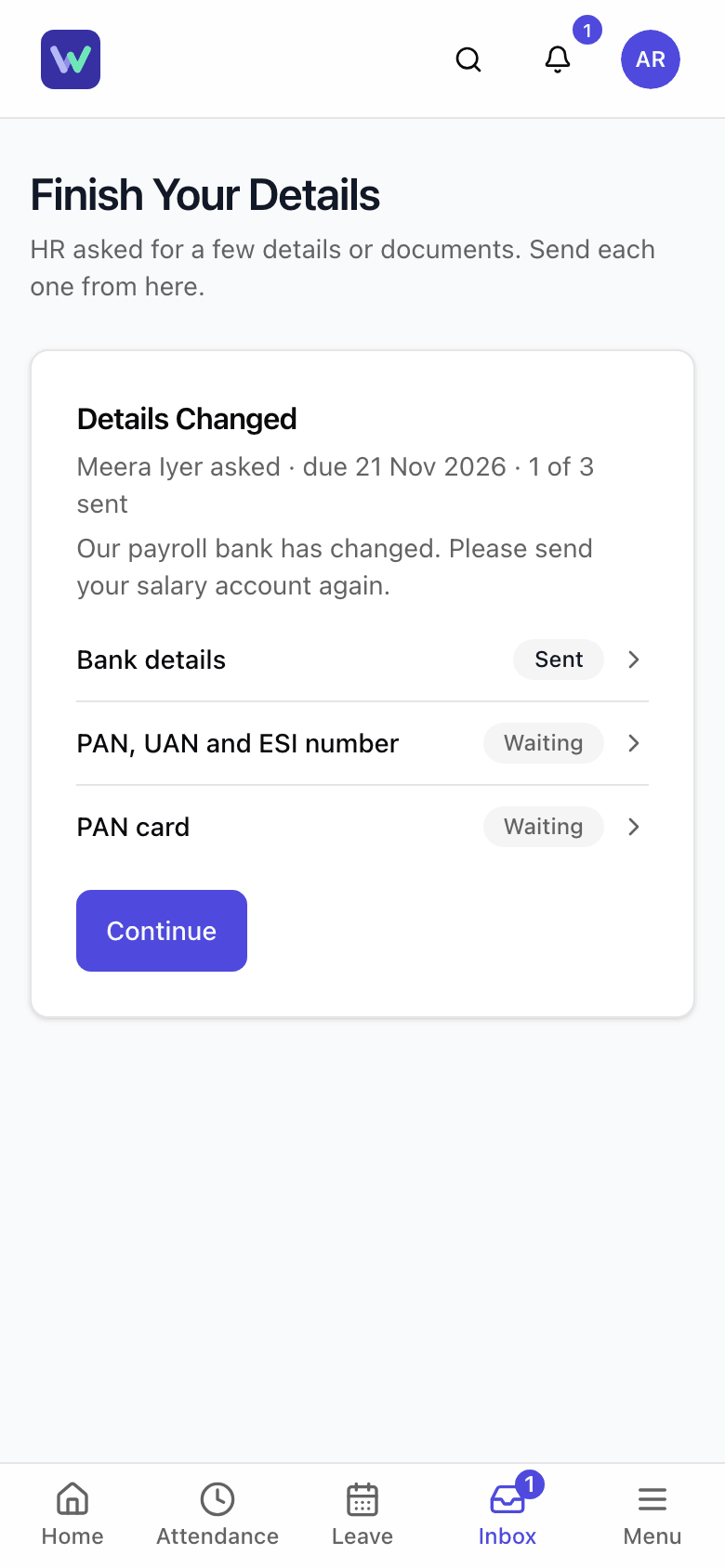
- Step 7: If an item shows Sent Back, open it, read what HR says, fix it and send it again.
What Happens Next
- HR checks each item. Nothing goes on your employee record until HR verifies it.
- When HR verifies an item it shows Verified. When every item is verified, the request is done and the card goes away.
- You are reminded the day before the due date.
If the App Says No
The app says:
This request is no longer open
What it means: HR closed the request, or you have already sent everything.
What to do: Nothing more to do. If something is wrong, tell HR.
Questions People Ask
I do not see the card on my home page. Where is the request?
Open Inbox, then Tasks. A request from HR appears there as Finish Your Details. If it is not there either, HR has no open request for you.
Can I change something I have already sent?
Yes, until HR verifies it. Open the item, change it and send it again. After it is verified, send a change request instead.
What is the list called Already on Record?
It shows what HR already has, with numbers hidden except the last few digits. To change one of those, send a change request.
Who sees my bank and ID details?
The HR people who asked for them. They check the items you send, and numbers are masked in lists.
What if I do not have the document?
Send what you have, or tell HR. HR can send the item back with a note about what to send instead, or cancel the request.
Related
- Ask an Employee for Details and Documents — Ask a current employee for missing bank, ID, nominee or document details, then check what they send before it goes on their record.
- Sign In for the First Time — Set your own password from the invite email, add two-factor sign-in if your role needs it, and answer the data consent box.
- Assign and Work Through an Onboarding Checklist — Give a new person a checklist of first-days tasks, see who owns each task, mark tasks done or skipped, and edit the checklist your company uses.
Plain-English summary of how the app works, not legal advice.