
Add Contract Staff, Interns and Consultants
- Who can do this
- HR Managers, Company Admins
- Plan
- Adding people works on every plan. Paying someone by bill needs the Accounting module.
- Updated
Before You Start
- Decide how you pay them. If they are paid through your payroll, treat them like any other person. If they invoice you, they stay out of payroll and you pay a bill.
Steps
- Step 1: Open Manage, choose People, then select Add Employee.
- Step 2: Fill in First Name, Last Name, Work Email and a Role as usual. Most contract staff, interns and consultants are Employee.
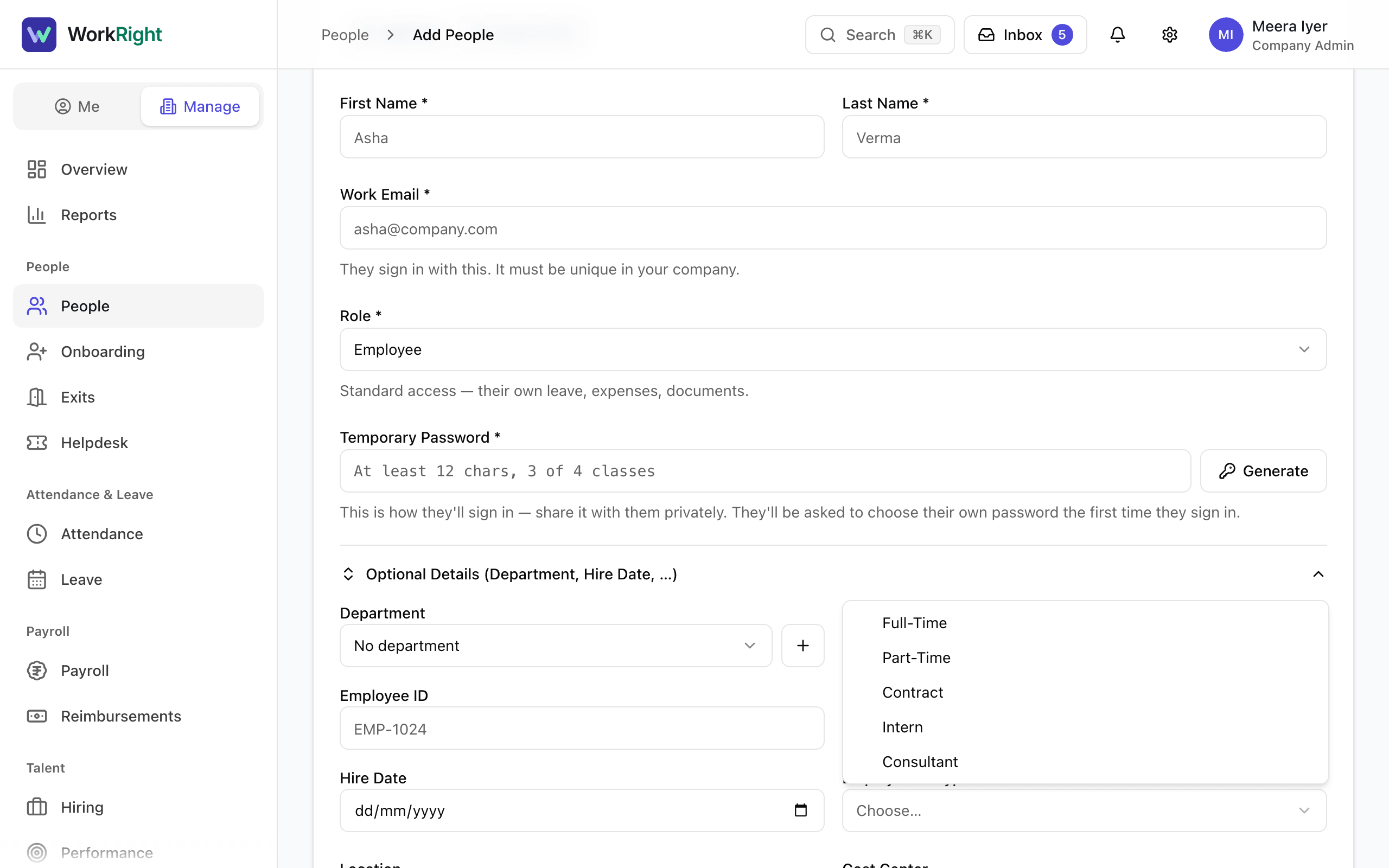
- Step 3: Open Optional Details and set Employment Type to Contract, Intern or Consultant. Set Hire Date to their first day.
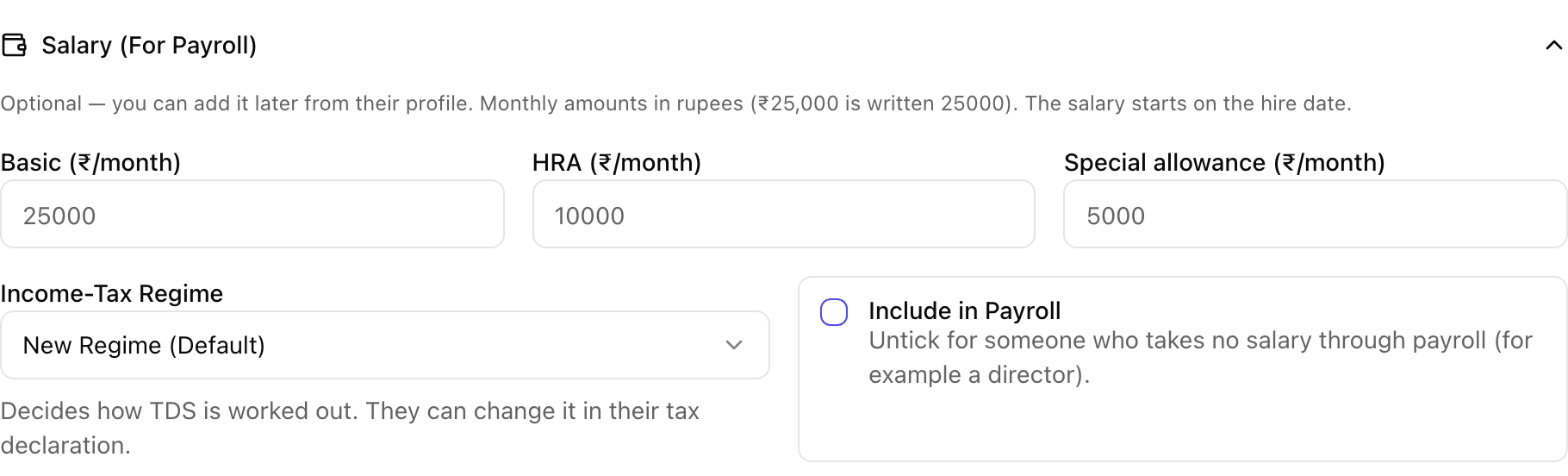
- Step 4: If they are paid through payroll, open Salary (For Payroll) and fill in their monthly pay as you would for anyone.
- Step 5: If they are paid on invoice, open Salary (For Payroll) and untick Include in Payroll.
- Step 6: Select Add Employee.
- Step 7: To track when the contract ends, open their profile and select Documents, then Upload Document. Upload the contract and set Expires On to the end date. WorkRight then warns you before the document expires.
- Step 8: To pay an invoice, open Manage, choose Purchases, select New Bill and record it as you would for any vendor.
What Happens Next
- The person has a sign-in, a seat on your plan, and leave and POSH training like everyone else.
- Employment Type shows on their profile and in reports. It does not change payroll, leave, seats or POSH today.
- A person who is not included in payroll is skipped by new payroll runs from the next run. You can switch it back on from the Pay tab on their profile.
- When the contract ends, start their exit from their profile with Start Offboarding and choose End of Contract as the reason.
Questions People Ask
Does a contractor or intern use a seat on my plan?
Yes, if they have a WorkRight login. Every active person counts toward your plan, whatever their employment type.
Is there a field for the contract end date?
Not on the profile today. The nearest tool is the document expiry date: upload the contract in their documents and set Expires On. The reason End of Contract is available when you start their exit.
Does Employment Type change leave, payroll or POSH?
No. It is a label today. A Contract person gets the same leave types, payroll treatment and POSH training as a Full-Time person, unless you switch them out of payroll yourself.
Can a contract person be an HR manager?
Yes. Role and employment type are separate. Someone on a contract can have any role, including HR Manager, as long as whoever gives the role is allowed to.
Do I have to give a consultant a login at all?
Only if they need to use WorkRight, for example to mark attendance or raise expenses. A vendor you only pay does not need to be added as a person: record them as a contact and pay a bill in Accounting.
Related
- Add an Employee — Add one person to your company, send them an invite to sign in, and start their onboarding checklist.
- Choose the Right Role for Someone — What each of the six roles can do, who is allowed to give which role, and how the company owner fits in.
- Remove Someone Added by Mistake, or Deactivate Them — Delete a person you added by mistake, or switch someone off when they leave. Each has different rules.
- Change Someone's Role or Job Details — Edit a person's role, manager, department, designation, pay and other details from their profile.
Plain-English summary of how the app works, not legal advice.